

Buying a premium mirrorless camera and choking it with garbage storage is absolute financial and professional suicide. The internal buffer of a modern camera is a massive data cannon, and if the media slot cannot ingest that data instantly, the entire system locks up. You cannot rely on blind luck or generic brand names to secure your footage. To guarantee you never miss a critical shot, you must analyse the reality of an SD card vs CFexpress card. One is a highly compatible, ageing legacy standard, and the other is a heavily engineered, high-voltage data weapon built on advanced NVMe architecture.
An SD card is the adopted and traditional storage standard using an old and flat data interface. While massively compatible with almost every consumer device globally, its ageing physical architecture bottlenecks extreme data transfers. This makes it a huge liability when used for modern cameras to shoot uncompressed and high-bitrate digital formats.
Must Read: 10 Common Photography Mistakes That Beginners Should Avoid
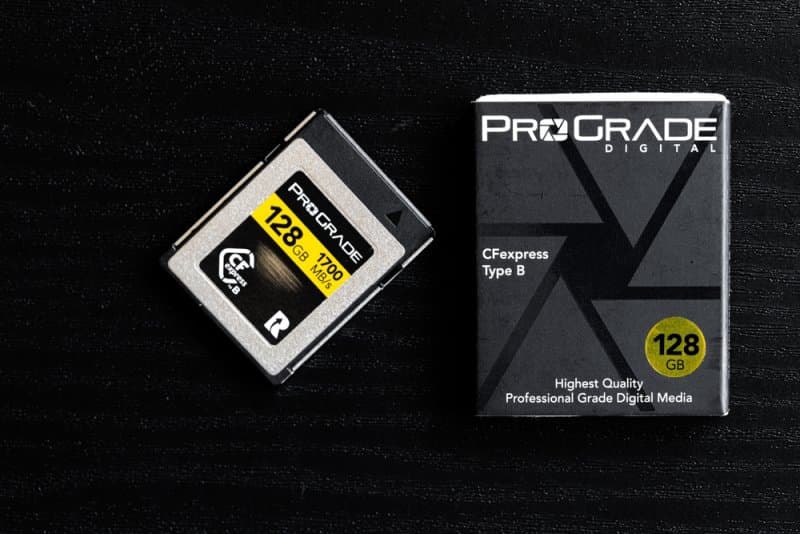
A CFexpress card is a high-performance data vault built entirely on advanced PCIe and NVMe computer technology. Instead of using legacy camera interfaces, it operates like an armored solid-state computer drive, delivering uninterrupted bandwidth engineered explicitly to handle continuous 8K raw video and extreme burst rates.
Top Pick: Honest Sony Camera Review: Which Model is Best for Photographers in 2026?
You cannot blindly jam a card into a slot and hope the data survives. Analysing this physical hardware requires locking down the absolute mathematical limits of both formats.
| Feature | The SD Reality | The CFexpress Reality |
| Hardware Protocol | UHS-I and UHS-II legacy bus. | Elite PCIe and NVMe computer architecture. |
| Physical Durability | Brittle plastic chassis that snaps easily. | Heavy metal enclosure built for heat dissipation. |
| Camera Compatibility | Universal access across all consumer tiers. | Strictly limited to premium, professional-grade bodies. |
| Peak Data Rates | Maxes out around 300 MB/s. | Pushes beyond 1,700 MB/s. |
Recording heavy video files requires a sustained data pipe. If the card drops a single frame, the entire video file is permanently corrupted.
Ignore the massive "peak" speed printed on the box. You must verify the V-class or VPG rating, which legally guarantees the absolute lowest speed the card will ever drop to under extreme thermal load.
For standard and compressed 4K footage, you must deploy a V60 rating. Anything lower guarantees the camera will stop recording after three seconds of heavy panning.
If you are shooting uncompressed RAW video, you must mandate a card with VPG400 certification, which allows a 400 MB/s minimum pipeline regardless of how hot the physical chassis gets.
You cannot swap these two formats. They utilise entirely different physical dimensions and heavily altered internal lane structures that directly dictate camera compatibility.
Type A is smaller than a standard SD card and only uses a single PCIe lane, capping maximum potential bandwidth while fitting strictly into select Sony camera bodies.
Type B is a metal-housed tool utilising two dedicated PCIe lanes. This doubles the data transfer capacity, making it the absolute industry standard for Canon, Nikon, and Panasonic flagship systems.
A Type A card will never fit into a Type B slot. You must verify your camera's exact internal port before burning hundreds of dollars on the wrong media shell.
Shooting sports or wildlife requires holding the shutter down and letting the camera execute thirty frames per second. Weak storage instantly kills this action.
The camera possesses a tiny internal memory cache. When that cache fills, a weak card completely paralyses the camera, forcing you to stare at a loading screen while missing the critical shot.
High-end NVMe storage rips data out of the camera's internal buffer, clearing the pipeline in milliseconds and allowing you to hold the shutter down indefinitely.
Shooting thousands of raw images creates a massive data backlog. Premium storage slashes the time required to dump those files onto a computer from 3 hours down to 12 minutes.
Manufacturers lie on their packaging by printing massive "read" speeds that have absolutely zero impact on how the camera records data.
You must ignore the giant number on the front sticker. Flip the box over and hunt for the microscopic "write speed" metric, which dictates how fast the camera can dump data into the chip.
Do not buy outdated U1 or Class 10 garbage. You must strictly demand UHS-II hardware carrying a V90 badge to squeeze the absolute maximum 90 MB/s sustained performance out of the ageing format.
Massive write speeds generate a lot of heat. Cheap cards will hit their peak speed for two seconds before melting down and throttling the data rate to prevent a digital fire.
You cannot fake your way through massive data transfers with cheap, counterfeit plastic. Modern digital sensors pull in amounts of visual information, and your storage media is the only physical bridge keeping that data alive. Mastering the exact limitations of an SD card vs a CFexpress card is a mandatory technical requirement for any serious shooter.
Absolutely. Forcing a massive data load through a cheap, physical plastic sleeve introduces electrical resistance, immediately throttling the bandwidth and almost guaranteeing corrupted files when shooting heavy 4K video formats.
Yes. These specific cards draw massive amounts of voltage and operate exactly like heavy computer drives. They dump extreme heat directly into the camera's internal chassis, severely limiting maximum recording times in hot outdoor environments.
A sudden format request proves the internal file directory has collapsed. Pulling a card out while the camera is still actively writing data shreds the digital index, rendering the raw files completely inaccessible without heavy digital recovery software.
It is absolute logistical disaster. If you put an entire multi-day shoot on a single massive chip and it fails or gets dropped, you lose everything. Dividing the shoot across multiple smaller cards mitigates catastrophic data loss.
Yes, if you configure them incorrectly. It allows the camera to instantly write a backup copy to a secondary, slower slot that bottlenecks the primary high-speed slot, dragging the entire system down to the exact data limit of the weakest chip.
This content was created by AI